AI kitchen design from one photo. Try on a new kitchen.
Take one photo. We trace your room, then try new finishes on it in 10 to 20 seconds.
No photo handy
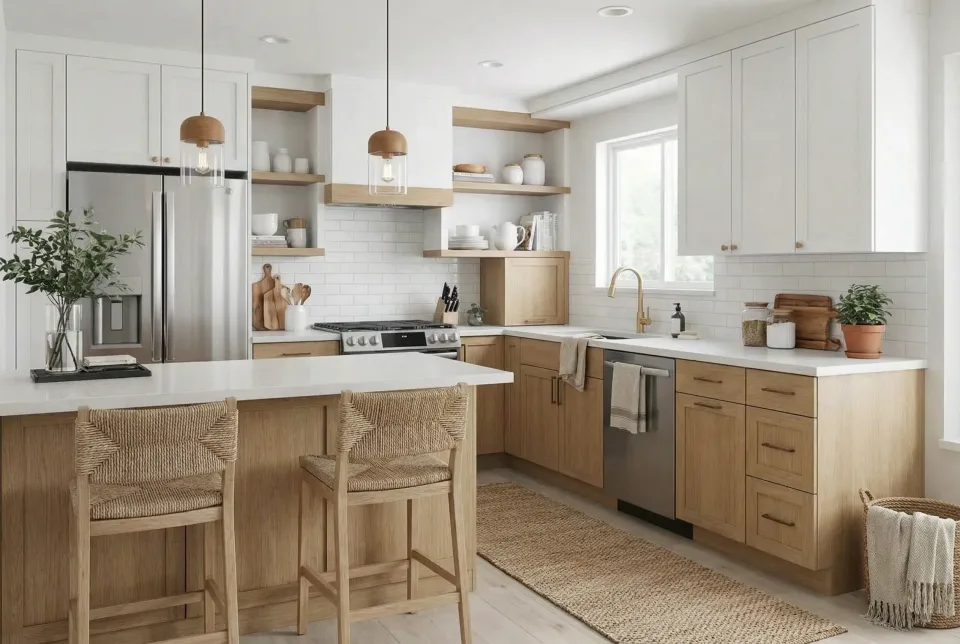
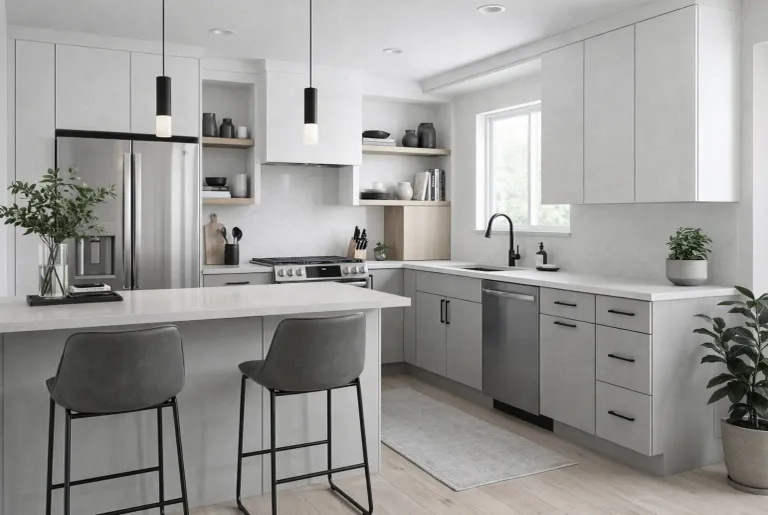
Try it in
01 The problem
You can't return a kitchen.
A kitchen is chosen from two-inch samples, showroom corners and photos of other people's homes. Partners disagree. Buyers can't see past the oak. Clients change their minds after demolition.
- One in three remodeling projects reportedly went over budget.Hover Design Report 2025
- 74% of remodeling pros say homeowners expect a visualization before committing.Hover Design Report 2025
$60,000
02 How it works
Keep the walls.
Change everything else.

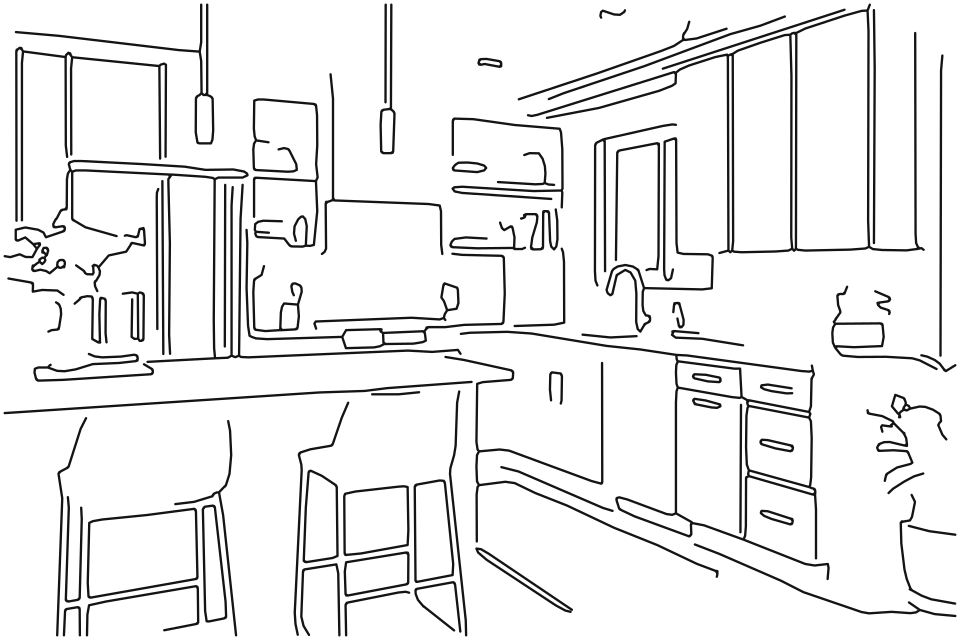
01 Your photoOne photo from a corner, on any phone. 02 TracedYour room as lines, drawn on your device in under a second. 03 FinishedNew cabinets, counters, tile, paint and light, in 10 to 20 seconds.
Three modes
- Refresh
- Just the finishes: cabinet fronts, counters, tile, floor, paint, hardware and lights. Nothing moves.
- Remodel
- New finishes, and the cabinets, island, sink and appliances may move to a better layout.
- Reimagine
- A new layout and all-new finishes inside the same walls, windows and doors.
The outer walls, windows, doors and the camera stay in all three.
05 Made for
Made for everyone who decides a kitchen.
Homeowners
We have to agree on a kitchen neither of us can see yet.
41% of renovating homeowners do it for a new style, the leading reason (Houzz 2025)
You get
Your own kitchen in all 15 styles and three modes, before and after, kept in your gallery to download and share.
Agents
Buyers can't see past a dated kitchen.
83% of buyers' agents say staging helps buyers picture the home as their own (NAR 2025 Profile of Home Staging)
You get
Every room type, from kitchen to bedroom, with commercial use of the photos on Pro and Business.
Contractors
Clients sign when they can see it, and change their minds when they couldn't.
86% of renovating homeowners hire a professional (Houzz 2025)
You get
Your client's own kitchen in a new finish, from their photo, with commercial use on Pro and Business.
Designers
The first meeting sets the direction; the drawings come after, in my own tools.
Wood cabinets overtook white for the first time in recent years, 29% to 28% (NAR on the 2026 Houzz study)
You get
A client's photo in 15 styles and three modes, with your own instructions for each render.
A preview, not a drawing set.
Use it to choose a direction; your contractor measures and specifies.
A failed render doesn't use a render.
If a render fails, it doesn't count against your plan.
Your photo is never sold.
It's used to make your design. Read the privacy policy.
06 Plans
Plans for one kitchen or a hundred.
| Plan schedule | PersonalFor one home | ProFor agents, contractors and designers | BusinessFor high volume |
|---|---|---|---|
| Price | $19 a month | $39 a month | $99 a month |
| Renders | 50 a month | 110 a month | 300 a month |
| Commercial use | Not included | Yes | Yes |
| Choose a plan | Choose Personal | Choose Pro | Choose Business |
Yearly billing saves 17%. Cancel anytime.
07 Notes
Asked before you upload.
Is it free?
Looking is free: browse all 15 styles and a sample kitchen's before and after, with no account and no card. Renders of your own photo need a plan, from $19 a month, cancel anytime. See what's free without an account.
How much does AI kitchen design cost compared to hiring a designer?
HomeAdvisor puts a certified independent kitchen designer at $1,500 to $3,000 for a mid-range project. AI kitchen design with KitchenDesign.app starts at $19 a month for renders of your own photo, and the styles and a sample kitchen's before and after are free to look at first, making professional-quality visualization accessible to every homeowner and contractor.
Will it keep my walls and layout?
Your outer walls, windows, doors and the camera angle stay in all three modes. Refresh keeps the layout too: every cabinet, the island, the sink and the appliances stay where they are, and only the finishes change. Remodel and Reimagine may move them to a better layout.
How accurate is AI kitchen design compared to a professional designer?
Modern AI kitchen design tools produce photorealistic results. The AI preserves perspective lines, applies realistic material textures (marble veining, wood grain), and maintains consistent lighting. While not a replacement for architectural blueprints, AI visualization is ideal for exploring styles and communicating design intent to contractors.
Is my photo private?
Your photo and your designs are shown only in your own gallery. They are never sold, and the AI provider that makes your renders doesn't train its models on them.
How does AI kitchen design from a photo work?
Upload a photo of your current kitchen to an AI kitchen design tool like KitchenDesign.app. It sends your photo, with a brief for your style and mode, to an image-editing AI model, which generates a photorealistic redesign in your chosen style — keeping the outer walls, windows and doors where they are, and in Refresh the whole layout. Results are delivered in 10 to 20 seconds.
Is this 3D kitchen design software?
KitchenDesign.app is not manual 3D kitchen design software like Planner 5D or IKEA Kitchen Planner. It is photo-based AI: upload your kitchen, pick a style, and get a photorealistic remodel preview in 10 to 20 seconds. Ideal for exploring finishes and communicating with contractors — not for CAD blueprints or custom cabinet measurements.
What is the best AI tool for kitchen design in 2026?
For trying new finishes on the kitchen you already have, KitchenDesign.app turns one photo into any of 15 styles in 10 to 20 seconds. The outer walls, windows and doors stay in every mode while the cabinets, countertops, backsplash, flooring and wall color change; Refresh keeps the whole layout too.
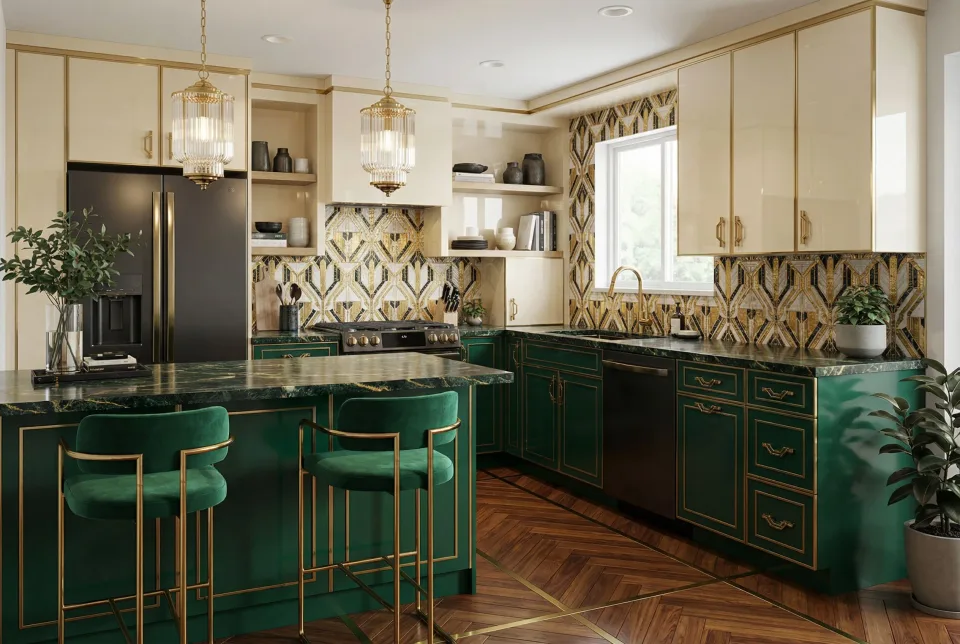
Your kitchen is one photo away.
09 Reference
What Is AI Kitchen Design?
AI kitchen design uses artificial intelligence — here, a generative image-editing model — to transform photos of real kitchens into photorealistic redesigns. Instead of hiring an interior designer or spending hours with CAD software, you upload a single photo of your kitchen, select an architectural style (Modern, Scandinavian, Farmhouse, Industrial and 11 more), and receive a photorealistic visualization in 10 to 20 seconds.
The technology behind AI kitchen design here is a generative image-editing model. KitchenDesign.app sends it your photo with a written brief: your style's cabinets, counters, tile, colors and lighting, and what your mode keeps — the outer walls, windows, doors and camera angle in every mode, the whole layout in Refresh. The model paints a new photo of the same room from the same viewpoint, so the AI doesn't just apply a filter; it remodels the look of your space while its structure stays.
How AI Kitchen Design from Photo Works
The process of AI kitchen design from a photo is straightforward. You upload one photo and choose a style and a mode. The app turns them into a brief: the style's materials, colors and lighting, what must stay, and what may change. An image-editing model then redraws your photo to that brief, replacing cabinets, countertops, flooring, backsplash and wall color while keeping the original camera angle and perspective.
This is why results from a dedicated AI kitchen design app look dramatically different from generic photo filters. The AI understands that a countertop should reflect light differently than a matte cabinet door, and that marble veining follows directional patterns. The output is architecturally coherent, not just visually altered.
Who Uses AI Kitchen Design Tools?
Homeowners use AI kitchen design to explore renovation ideas before spending money on contractors or design consultations. Real estate agents use it for virtual staging — transforming outdated listing photos into modern, appealing spaces. Interior designers and contractors use it to rapidly prototype concepts and align on vision with clients, reducing revision cycles and change orders.
AI Kitchen Design vs. Traditional Design
HomeAdvisor puts a certified independent kitchen designer at $1,500 to $3,000 for a mid-range project, and a design plan at about 10 to 20 hours of work. An AI kitchen design generator shows your own room in a new style in 10 to 20 seconds, at a fraction of the cost. While AI can't replace the full scope of an architect (structural changes, plumbing relocation, permit drawings), it excels at the visualization and ideation phase — which is exactly where most homeowners spend the most time and money.
Further Reading
- Can AI Design Your Kitchen for Free? — What other tools give for free, and what's free here
- How to Redesign Your Kitchen from a Photo Using AI — Step-by-step guide
- AI Kitchen Design Tools Compared — Free tiers and prices
- AI Kitchen Remodel Guide — Plan your renovation with AI
- AI Kitchen Design: The Complete Guide — How it works, and its limits