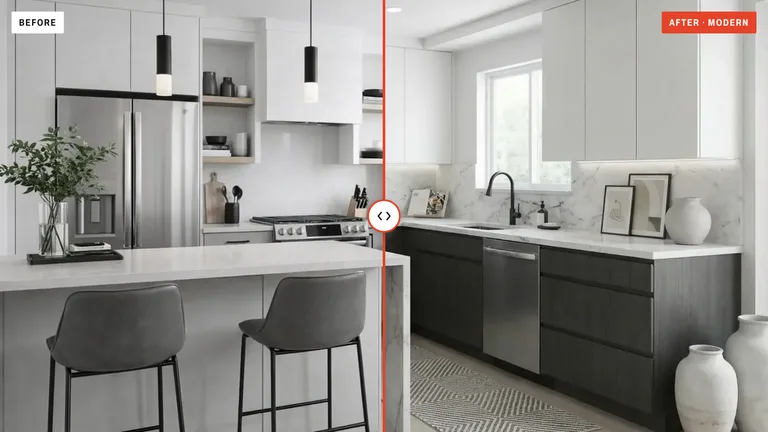
More tools redesign a room from one photo every month. This page sets out what the ones people ask about most give for free, what they cost after, and what each is for, from each tool's own pages on 12 November 2026. It isn't a test of their renders, and we make one of these tools, KitchenDesign.app: judge the renders yourself.
Free tiers and prices
| Tool | Free | After that | Source |
|---|---|---|---|
| RoomsGPT | 3 designs a day; 4 a day, and 20 once, with a free account | Free designs carry ads and a watermark; paid plans from $4.99 a month remove them | RoomsGPT pricing, 12 November 2026 |
| VisualizeAI | 6 credits for a new account (1 credit a design) | Credit packs, paid once: $9 for 60, $19 for 150, $39 for 350 | VisualizeAI pricing, 12 November 2026 |
| DecorAI | 3 designs, on a trial | $24 a month once the trial ends, unless cancelled during it | DecorAI pricing, 12 November 2026 |
| HomeVisualizer | 3 renders | $12 a month for 250 renders | Apartment Therapy, 5 May 2026 |
| KitchenDesign.app (ours) | Sample renders, the styles, and your own photo traced; no free render | $19 a month for 50 renders, no watermark | Our pricing, 12 November 2026 |
Free allowances change often: check the tool's own page before you count on one. We have no ties to any of the other tools.
What each is for
KitchenDesign.app (ours)
Built for kitchens, and works for any room. Your photo is traced on your device first, and the outer walls, windows and doors stay in every render. 15 styles or your own, three modes (from new finishes only to a new layout), then change any detail in words or from a list of the room's parts. Renders take 10 to 20 seconds. Paid only.
RoomsGPT
Rooms, house exteriors and gardens. The most generous free tier here: designs every day without an account, with ads and a watermark until you pay.
VisualizeAI
Rooms and gardens from a photo, in 30+ styles. No subscription: you buy credits once, one credit a design, with commercial use.
DecorAI
A wide catalogue: 175 styles across 135 kinds of space and 20+ tools, unlimited designs and some AI video on its paid plans. The free designs come with a trial that turns into a subscription.
HomeVisualizer
Apartment Therapy's pick for best paid AI kitchen design tool in May 2026.
IKEA
Free online kitchen planning for an IKEA kitchen: its planning tool, and a free online session with an IKEA kitchen planner. You need your kitchen's exact measurements. Not AI: you build the plan. (IKEA customer service, 12 November 2026.)
An independent test
Apartment Therapy's writer tried more than ten AI design tools on her own kitchen in May 2026. Her picks: VisualizeAI as best overall, RoomsGPT as fastest and HomeVisualizer as best paid. KitchenDesign.app wasn't among the tools she named. Read Apartment Therapy's test.
What to check before you pay
- The room is still yours: compare before and after, and check the walls, windows and doors didn't move.
- The price of one render, not of the plan: divide the plan by its renders.
- Watermarks and ads on free renders, if you'll show them to anyone.
- Commercial use, if the renders go to clients or a listing.
- Changing one thing without redrawing the rest, once you like a version.
On a phone
You don't need an app store app. KitchenDesign.app runs in the browser on an iPhone or an Android phone: take the photo, pick a style, and the render comes back on the same page.
Is there a completely free AI kitchen design tool?
Not an unlimited one among these. RoomsGPT comes closest, with free designs every day and no sign-up, carrying ads and a watermark; the others give a few designs once. IKEA's kitchen planning is free, but it isn't AI and needs your measurements.